
Profiles
Profiles decides whether users may have a profile picture, and what happens to the ones they upload.
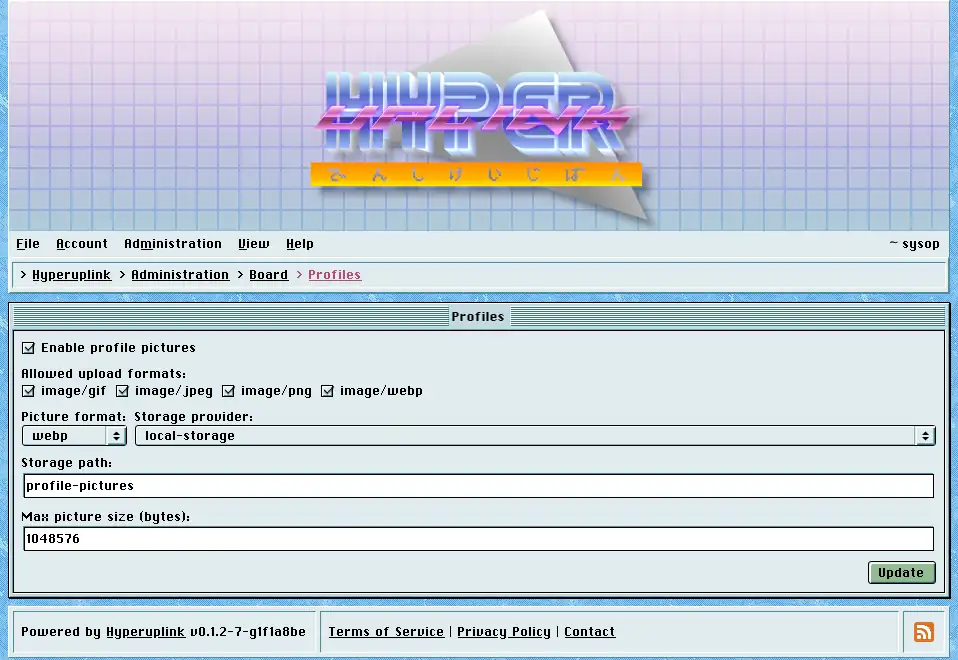
- Enable profile pictures: adds the picture field to Account → Profile. With it off, everyone keeps the board's default avatar and the field isn't shown.
- Allowed upload formats: a whitelist of the image types you accept.
- Picture format: what uploads are converted to, meaning webp, png or jpg, so whatever someone uploads leaves as one format at one size rather than as a 12-megapixel photograph squeezed into a 64-pixel box.
- Max picture size (bytes): the limit on the upload, defaulting to one megabyte.
- Storage provider and Storage path say where the pictures are kept, and the provider comes from the board's configuration file.
A profile picture is the one upload that is meant to be public, since it is shown next to every post its owner writes. The public-storage warning that matters for attachments doesn't apply in the same way here.
Picture conversion needs ImageMagick on the machine the board runs on, and that is the one runtime dependency the binary has.
Readers who would rather not see any of this can switch profile pictures off for their own account under View, which changes nothing for anyone else.
The page itself: Administration → Board Settings → Profiles
