
Administration
The Administration menu appears for accounts with the admin role and holds
everything that configures the board through its interface. An account becomes
an administrator by having its address listed under PromoteAdmin in the
board's configuration file at the time it signs up, which is the one part of all
this that happens outside the interface and that is covered in the repository
rather than here.
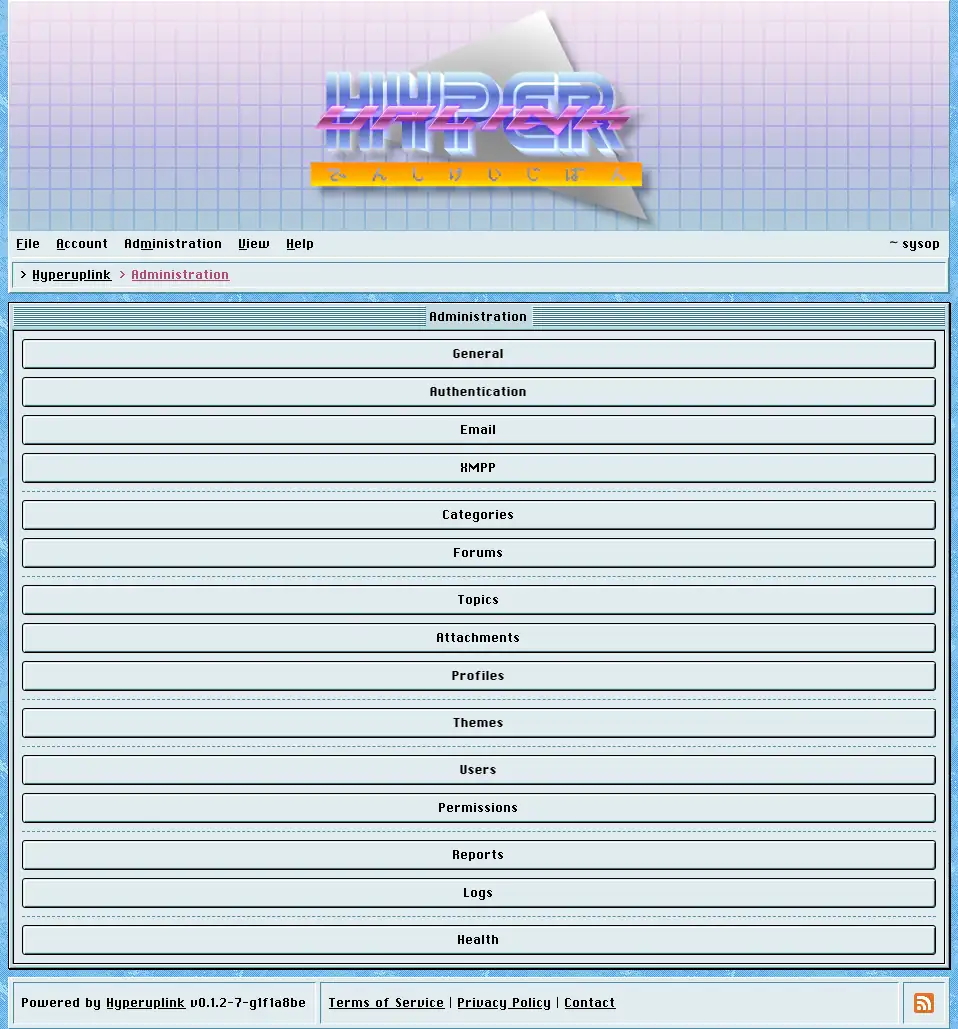
Everything on these pages is stored in the database rather than in the configuration file. It takes effect immediately and survives a restart. The configuration file instead holds what the board needs before it can read a database at all, meaning the database itself, the cache, the storage providers and the delivery targets, and the admin pages then point at those by name.
Board
- General is the board's name, its base URL, the page sizes, and the About, Contact, Terms and Privacy pages.
- Board settings covers categories, forums, topic types, attachments, profiles and themes.
People
- Users confirms, bans and deletes accounts.
- Permissions decides who may read, write and moderate where.
Access
- Authentication decides what counts as an address and which external providers may sign people in.
- Communication picks which configured target is used for email and which one for XMPP.
Monitoring
- Reports is what your users flagged.
- Logs is what your administrators did.
- Health reports what is wrong with the board's configuration.
The page itself: Administration
