
Users
Users lists every account with its username, its address and the four things you can do to it.
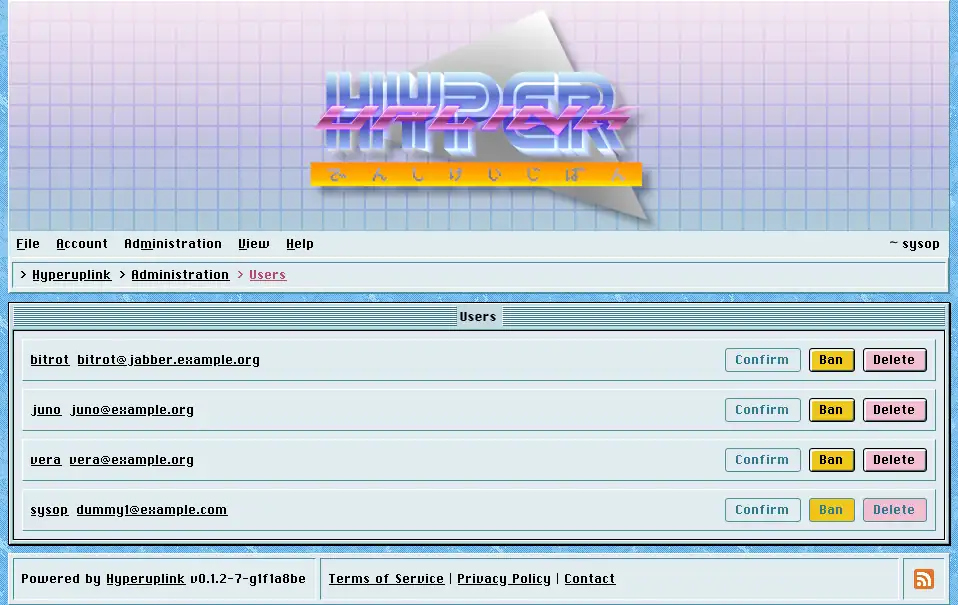
The state of an account is carried by how its name and address are styled, and an account that is unconfirmed, banned or deleted reads differently from an ordinary one without needing a column of its own.
- Confirm: activates an account without the user entering the token they were sent, which is what you reach for when the confirmation never arrived and the address is one you trust. Disabled on accounts that are confirmed already.
- Ban stops the account from being used, and Unban puts it back.
- Delete removes the account.
All four are disabled on your own account, so that an administrator cannot ban or delete themselves by clicking the wrong row.
The same four actions sit on each user's profile, under Administrate, next to the group checkboxes that decide what that account may do. The profile is, however, the better place to work from while you're reading someone's posts and deciding what to do about them.
An account becomes an administrator through the PromoteAdmin list in the
board's configuration file at sign-up and not through this page, and there
is no button here that grants the admin role.
The page itself: Administration → Users
