
Reading the board
The board is three levels deep: categories hold forums, forums hold topics, and a topic is the first post plus every reply underneath it. The front page lists the latest topics across everything you're allowed to read, followed by each category with its forums. The whole board fits on one screen until it outgrows it.
Categories and forums
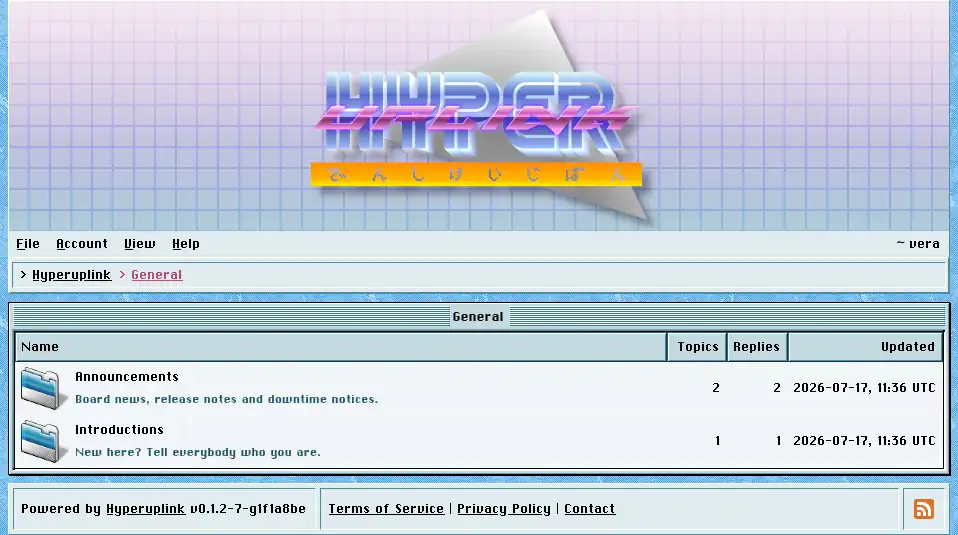
A category page lists the forums inside it, each with its description, its topic and reply counts, and the time it was last written in. Categories you have no read permission for are, however, not listed at all, instead of being listed and then denied. A board can hold a members-only category without showing it to everyone who visits.
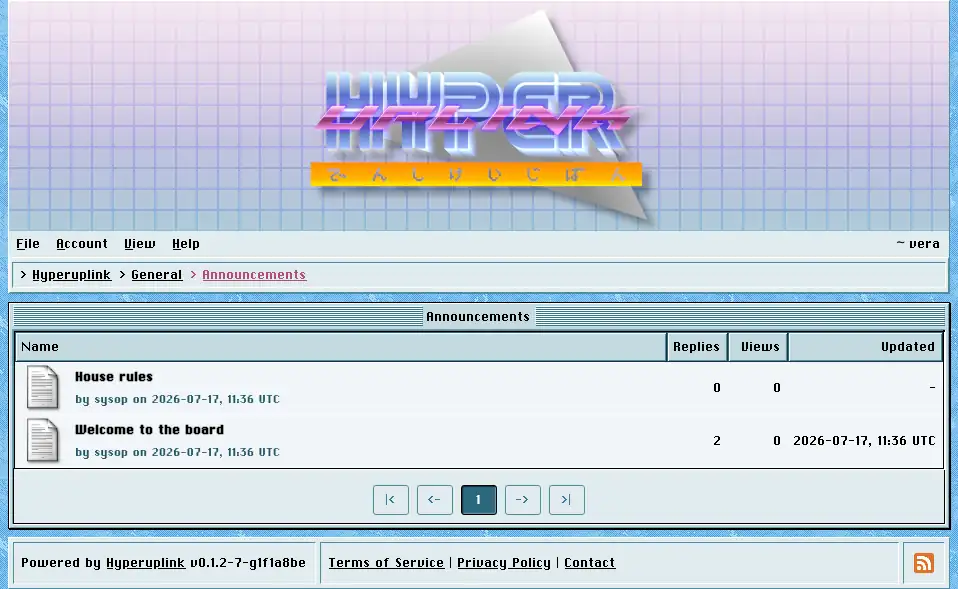
A forum page lists its topics, newest activity first, with pinned topics held at the top. How many topics fit on a page is set by the administrator in General, and the pager underneath covers the rest.
Topics
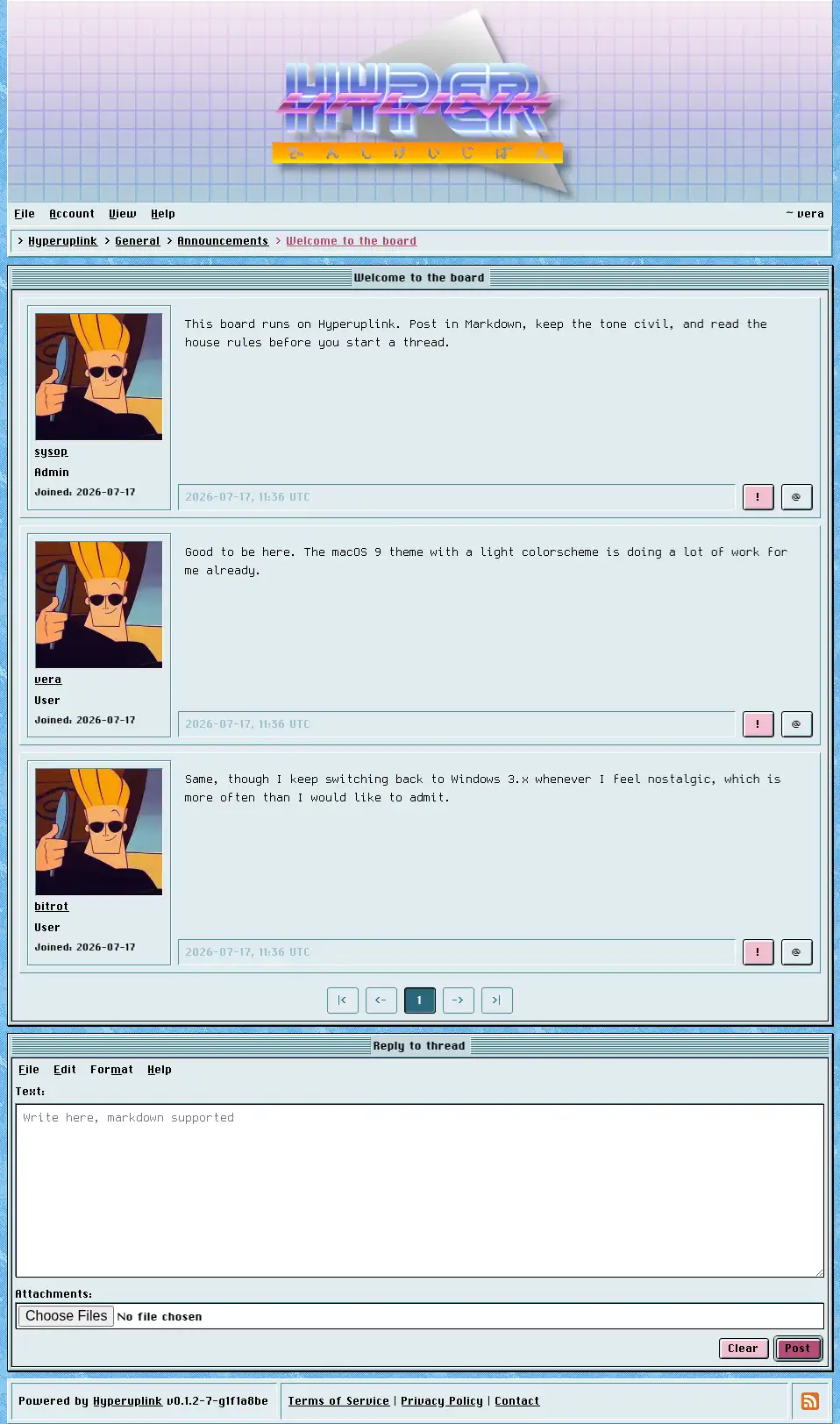
A topic shows the first post and then the replies in order, each of them with the author's profile picture, username, role, groups and join date down the side, and with the author's signature underneath the text wherever they set one. Attachments appear under the post, either as download links or as images rendered inline, depending on whether the administrator switched on inline image display.
Two buttons appear at the bottom right of every post while you're signed in. The
! button reports the post to the administrators, and
the @ button starts a reply aimed at that particular post, which is covered
in writing.
Polls
Where the administrator allows poll topics, a topic can include a poll, and that poll is shown above the post text in a fieldset of its own.
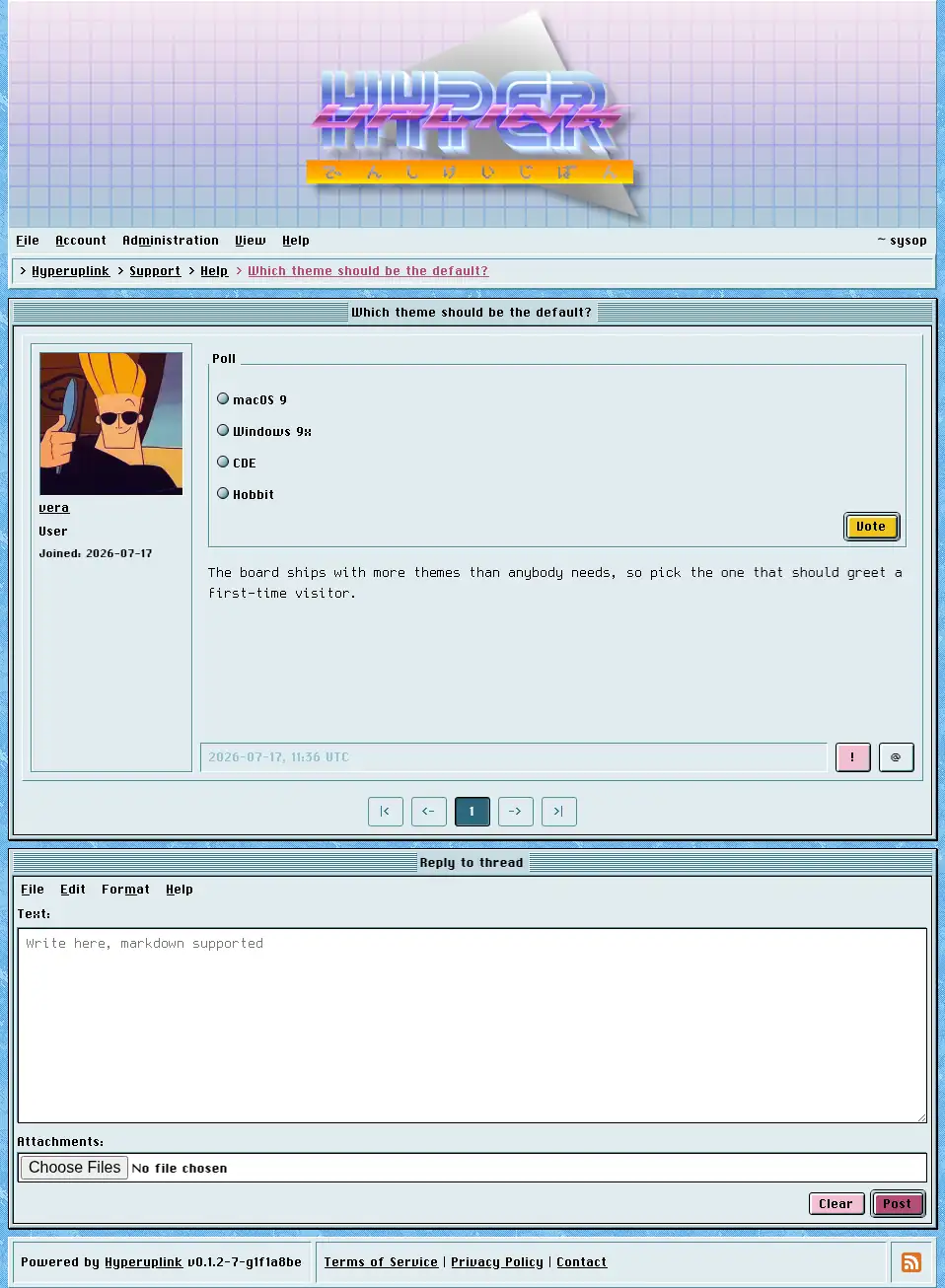
You get one vote and it is final, and the radio buttons and the Vote button are all you see until you've used it. This is deliberate: a poll whose votes can be changed after the fact measures how often people change their minds rather than what they think of the question.
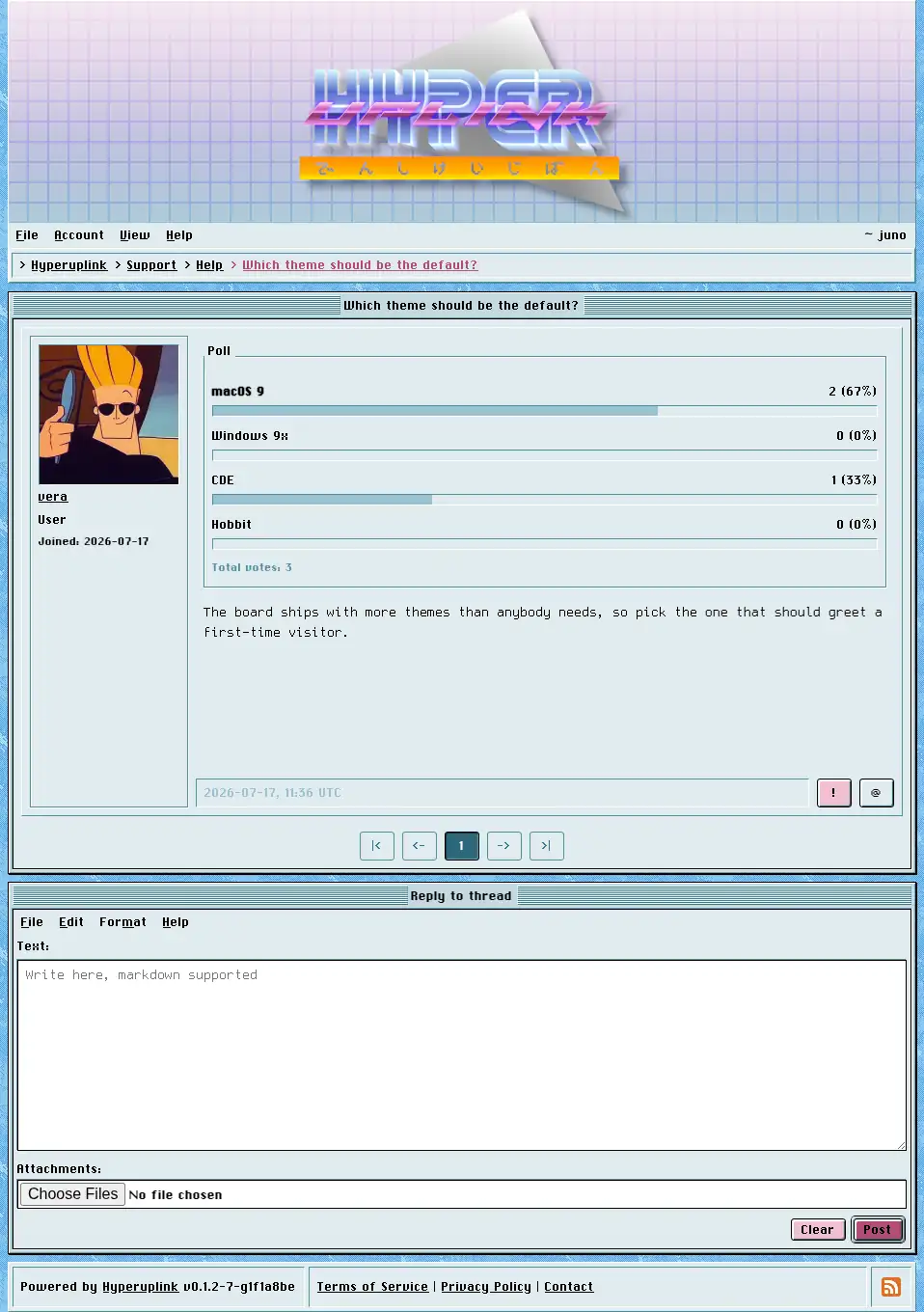
Once you have voted, and from then on, the poll shows the counts, the percentages and the total, with your own choice marked. Everyone who cannot vote sees those results straight away, meaning guests, users without write permission in that category, and eventually everyone, once a poll that the author gave an end date has passed it.
